 TurfAI User Guide
RAG — retrieval-augmented generation
How TurfAI grounds AI answers in your own documents.
An LLM on its own only knows what it was trained on. RAG (retrieval-augmented generation) lets it answer using your documents: the system retrieves the most relevant passages from a knowledge base, then asks the LLM to answer using only those passages, with citations back to the source. This is how the Knowledge Base, Chatbot, and RAG-enabled agents stay grounded.
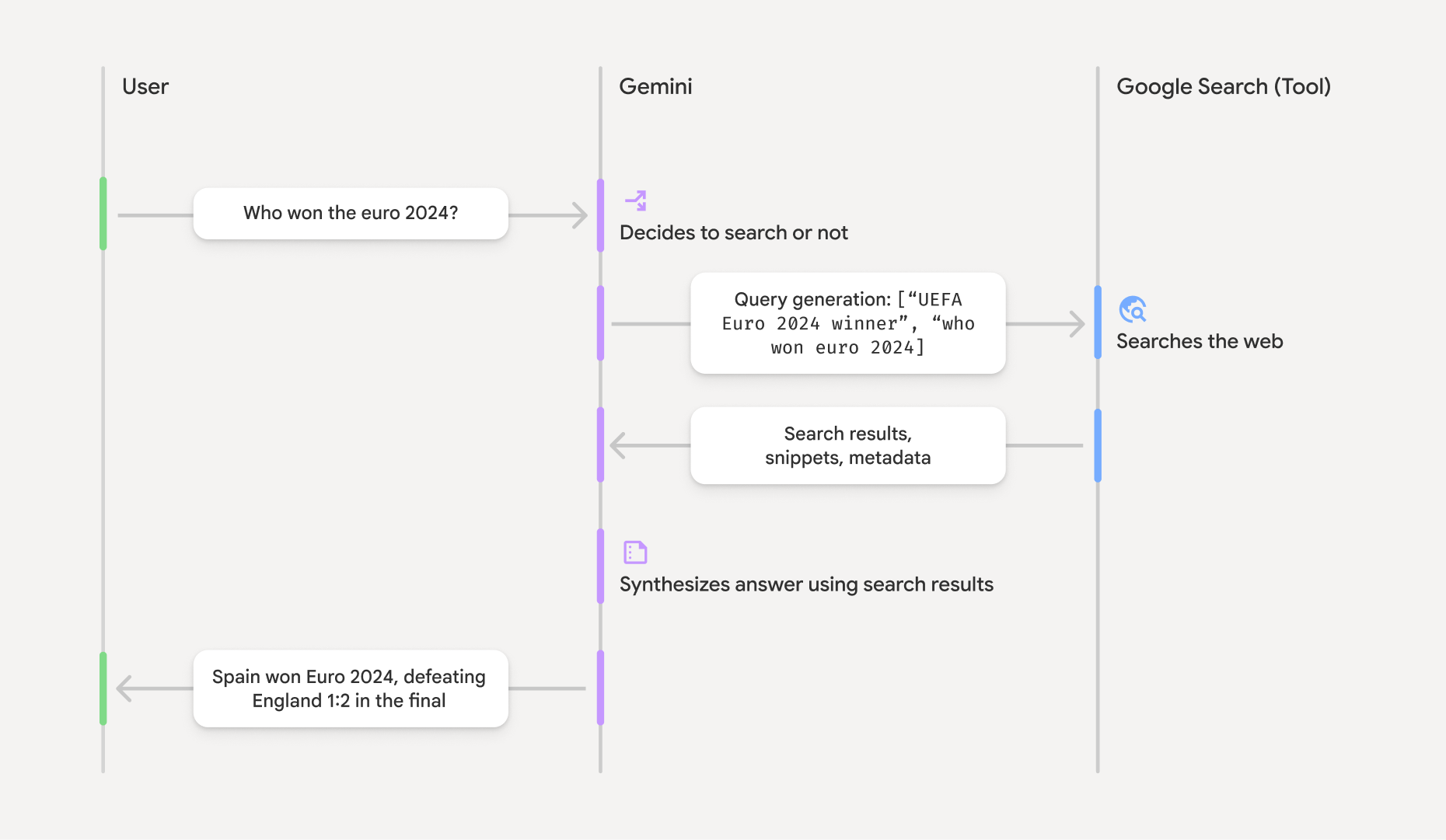
Grounding: retrieve sources, then answer from them with citations — instead of from memory.
Source: Google Gemini API ↗Grounding framing adapted from Google's Gemini API docs.
Two phases: index, then query
RAG always has two separate phases. You index documents once (slow, async); you query them many times (fast).
What a query actually does
Two backends
TurfAI supports two RAG backends, selectable per deployment:
| Google File Search (default) | pgvector (legacy) | |
|---|---|---|
| Embeddings | Built-in (Gemini) | TurfAI LLM service |
| Vector storage | Managed by Google | PostgreSQL + pgvector |
| Search + generation | Unified API call | Separate steps |
| Setup | API key only | Multiple services |
| User isolation | Per-user stores | Database-level filtering |
Why this matters
- Grounded answers — the LLM cites real passages, so answers are checkable, not hallucinated.
- Fresh knowledge — add a document and it is queryable; no model retraining.
- Source transparency — every answer carries
document_title,page_number, and asimilarity_score, surfaced in the chat UI and the KB Assembly view.
In Data Shield v0.5 the RAG chat path is not yet tokenised — questions and retrieved context reach the LLM as-is. PII protection on the RAG path is a v1.0 deliverable. See Data Shield.